
POP3 Email Services for Fast and Secure Email Access
In the modern digital landscape, businesses and individuals require fast, secure, and efficient email solutions. One of the most dependable methods for managing emails is through POP3 Email Services. This traditional yet powerful protocol continues to serve millions of users worldwide by offering simplicity, speed, and offline accessibility. Whether you are running a startup or managing enterprise communication, understanding how this system works can help you streamline your operations.
What are POP3 Email Services?
POP3 Email Services refer to the email retrieval system based on Post Office Protocol version 3. This protocol allows users to download emails from a mail server directly to their device. Once downloaded, emails are typically removed from the server, giving users complete control over their data.
Unlike cloud-based systems, this method focuses on local storage, making it ideal for users who prefer accessing emails without relying on constant internet connectivity. Companies like Ai Plexus Private Limited provide expert guidance and solutions to help businesses implement efficient email systems based on this protocol.
How POP3 Email Services Work
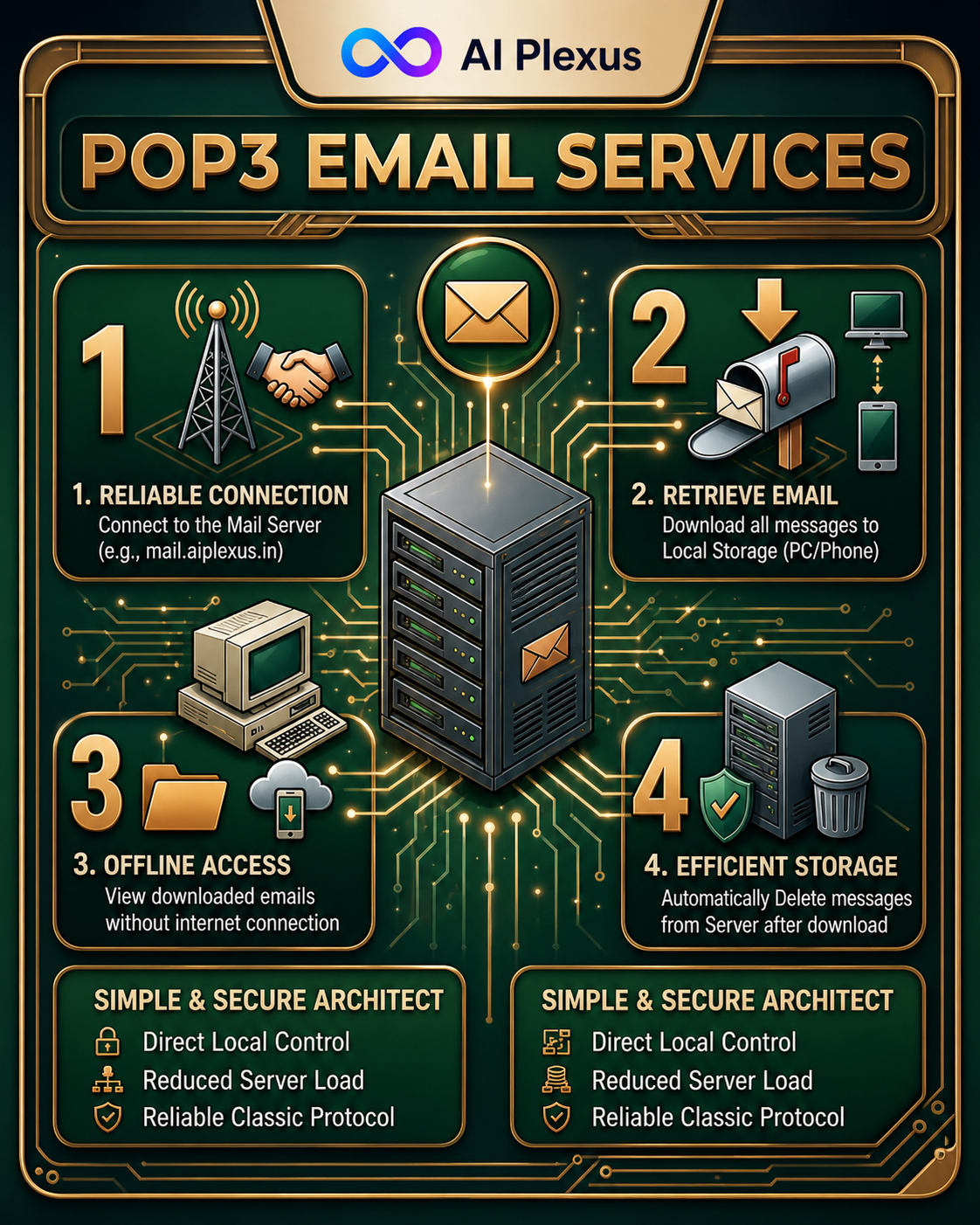
The working mechanism of POP3 Email Services is straightforward and user-friendly. When a user connects their email client to the server, the following steps occur:
- The client authenticates with the mail server
- Emails are downloaded to the local device
- Messages are optionally deleted from the server
- Users can access emails offline anytime
This simple workflow ensures quick access and minimal dependency on the server. Businesses often rely on Ai Plexus Private Limited to configure and optimize these services for better performance.
Key Features of POP3 Email Services
There are several features that make POP3 Email Services a preferred choice for many users:
- Offline Accessibility: Emails can be accessed without an internet connection
- Faster Email Retrieval: Messages are stored locally, improving speed
- Reduced Server Storage: Emails are removed from the server, saving space
- Easy Setup: Simple configuration process for all types of users
These features are especially beneficial for small businesses and professionals who want a hassle-free email system. Experts at Ai Plexus Private Limited often recommend this solution for clients seeking efficiency and simplicity.
Benefits of Using POP3 Email Services
Choosing POP3 Email Services offers multiple advantages that can enhance productivity and reduce operational complexity:
1. Complete Data Control
Users have full ownership of their emails as they are stored locally on their devices.
2. Cost Efficiency
Reduced server storage requirements lead to lower hosting costs.
3. Reliable Performance
Emails load faster since they are accessed from the local system.
4. Minimal Internet Dependency
Users can read and manage emails even without an active internet connection.
Organizations working with Ai Plexus Private Limited benefit from tailored solutions that maximize these advantages.
POP3 vs IMAP: Understanding the Difference
When comparing POP3 Email Services with IMAP, the key difference lies in how emails are stored and accessed:
- POP3 Email Services download emails to a single device and often delete them from the server
- IMAP keeps emails on the server and synchronizes them across multiple devices
If your priority is offline access and simplicity, POP3 is the better choice. However, for users who need multi-device synchronization, IMAP may be more suitable. Many clients consult Ai Plexus Private Limited to determine the best option for their specific needs.
Security in POP3 Email Services
Security is a critical aspect of email communication. While POP3 Email Services are reliable, implementing proper safeguards is essential:
- Use encrypted connections (SSL/TLS)
- Set strong and unique passwords
- Avoid accessing emails on public networks
- Regularly update your email client software
By following these practices, users can ensure a secure and smooth email experience. Ai Plexus Private Limited also offers advanced security solutions to protect business communications.
Setting Up POP3 Email Services
Configuring POP3 Email Services is simple and can be done in a few steps:
- Open your preferred email client (Outlook, Thunderbird, etc.)
- Select “Add Account”
- Enter your email credentials
- Choose POP3 as the account type
- Input server details such as incoming server and port
- Enable encryption settings
- Save and test the configuration
Once completed, emails will automatically download to your device. For businesses, Ai Plexus Private Limited provides professional setup and ongoing support to ensure seamless operation.
Why Businesses Still Use POP3 Email Services
Despite the rise of modern cloud-based solutions, POP3 Email Services remain relevant for several reasons:
- Lower operational costs
- Faster email access
- Simplified email management
- Greater control over data storage
Small and medium-sized businesses, in particular, find this approach highly effective. Many organizations rely on Ai Plexus Private Limited for implementing reliable email infrastructures tailored to their needs.
Future of POP3 Email Services
Although newer technologies continue to evolve, POP3 Email Services are unlikely to disappear anytime soon. Their simplicity and reliability make them a valuable option for specific use cases. As long as users require offline access and minimal server dependency, this protocol will continue to play an important role.
Conclusion
aiIn conclusion, POP3 Email Services provide a dependable and efficient solution for managing emails. With features like offline access, faster performance, and reduced server dependency, it remains a preferred choice for many users. By understanding its functionality and benefits, businesses can make informed decisions about their communication systems.
Companies such as Ai Plexus Private Limited are instrumental in helping organizations implement and manage these services effectively. With the right setup and security measures, users can enjoy a seamless and productive email experience.
Frequently Asked Questions (FAQs)
1. What are POP3 Email Services used for?
POP3 Email Services are used to download emails from a server to a local device, allowing offline access and faster performance.
2. Are POP3 Email Services secure?
Yes, they are secure when used with SSL/TLS encryption and strong authentication methods.
3. Can I use POP3 Email Services on multiple devices?
POP3 is primarily designed for single-device use, as emails are usually removed from the server after download.
4. What is the main advantage of POP3 Email Services?
The biggest advantage is offline access and full control over locally stored emails.
5. Who should use POP3 Email Services?
Individuals and businesses that prefer simple, fast, and offline email management should use POP3 Email Services.
